
WHAT WE DO
Turning Ideas into High-Performing Content
We create content at Wrotely that persuades and leads to conversions. The articles and website copy we offer are customized for your needs, the way your brand is presented and your target audience.
GET A FREE CONTENT AUDIT


Our Services
Here at Wrotely, we have a wide range of content writing services designed for your business. We provide engaging and well-written content, whether it’s for a website or an in-depth article.
WEBSITE COPYWRITING
We design homepage, about, service and landing pages that make the initial contact with your audience stand out. Ensure your website is direct, certain and communicates in your special brand voice.
BLOG WRITING & SEO ARTICLES
Rise in search engine results, attract visitors and earn trust by writing well-optimized blog posts that people enjoy reading. We strive to offer reliable information while remaining easy to communicate with, one article at a time.
PRODUCT DESCRIPTIONS & E-COMMERCE COPY
Your products should be promoted with words that inspire sales. We create descriptions that are easy to read and highlight what customers can gain. Excellent for selling on Shopify, Amazon, Etsy or your own personalized website.
EMAIL & SALES FUNNEL COPY
Get readers to open your emails and take action using email sequences designed for your funnel. We assist you in engaging leads, bringing back users and increasing sales without any extra effort.
WHY CHOOSE WROTELY
Your Partner for Powerful, Results-Driven Content
Wrotely provides content that resonates with your clients because it is written with your business aims in mind. We ensure that your brand is recognized and successful by providing quality, consistency and results.
CONTENT THAT CONVERTS
We use strong storytelling and effective marketing strategies. It will be not only well-written but also more effective for your business.
INDUSTRY EXPERTISE
We have written content for B2B SaaS companies as well as for fashion brands. We focus on your niche to ensure your content is genuine and credible.
100% ORIGINAL & CUSTOM
All the information is written from scratch by a human writer. We incorporate your brand’s voice, objectives and values in the first draft and throughout the project.
FAST TURNAROUNDS
You should be able to achieve both quality and speed. We provide excellent content in a timely manner.
What Our Clients Say
They rely on Wrotely to provide content that leads to measurable success. Here are the comments we have received from our clients.
Wrotely helped us increase organic traffic by 60% in just 3 months. Their SEO content is next-level.

Sanora M. Miller
Marketing Lead
They nailed our brand voice from the first draft. We now trust them with all our major campaigns.

Eric F. McKenzie
SaaS Founder
Wrotely transformed our website content, boosting engagement and customer inquiries significantly. Their team is professional, creative, and reliable.

John C. Jones
E-commerce Manager
Limited Time Offer: Get 20% Off Your First Content Package!
Latest Updates
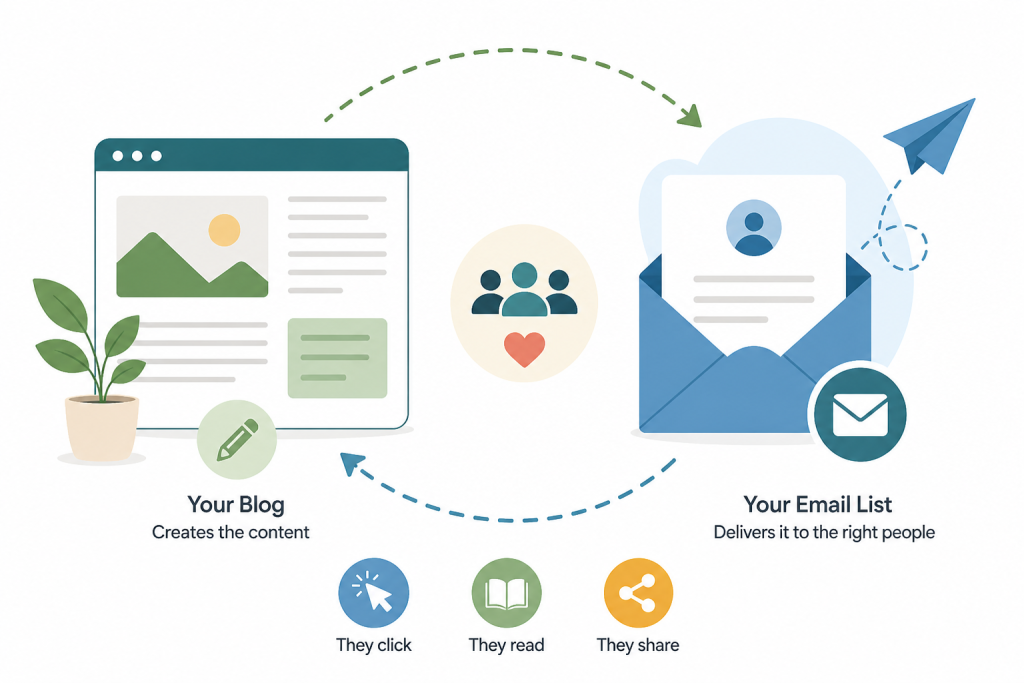
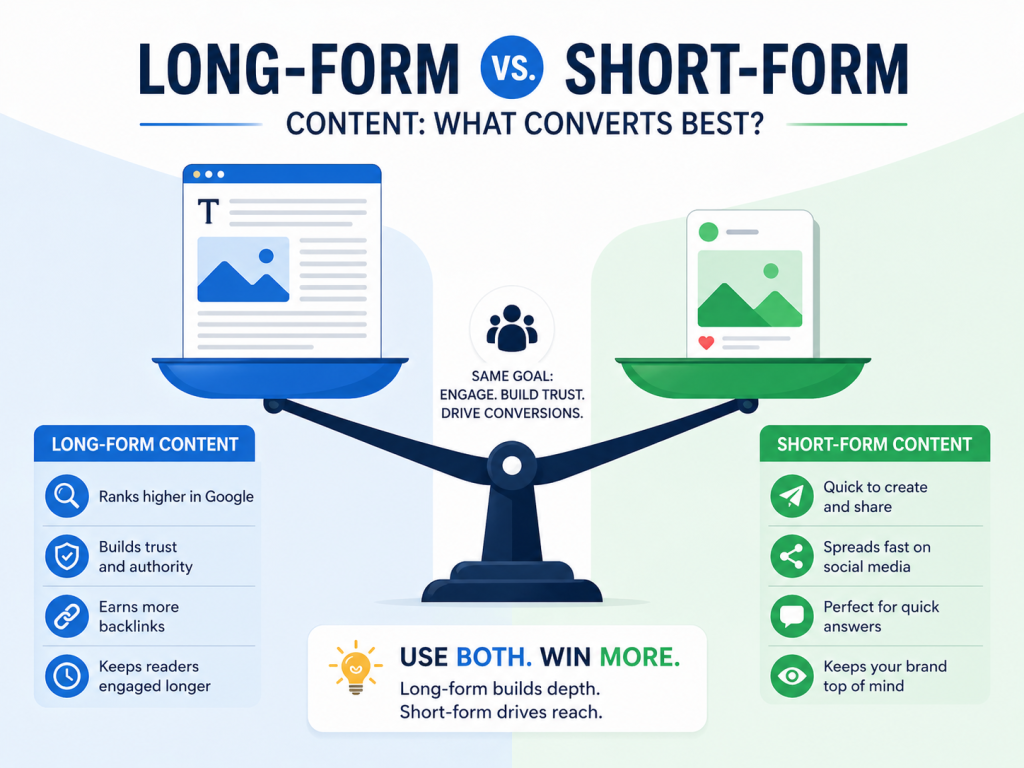
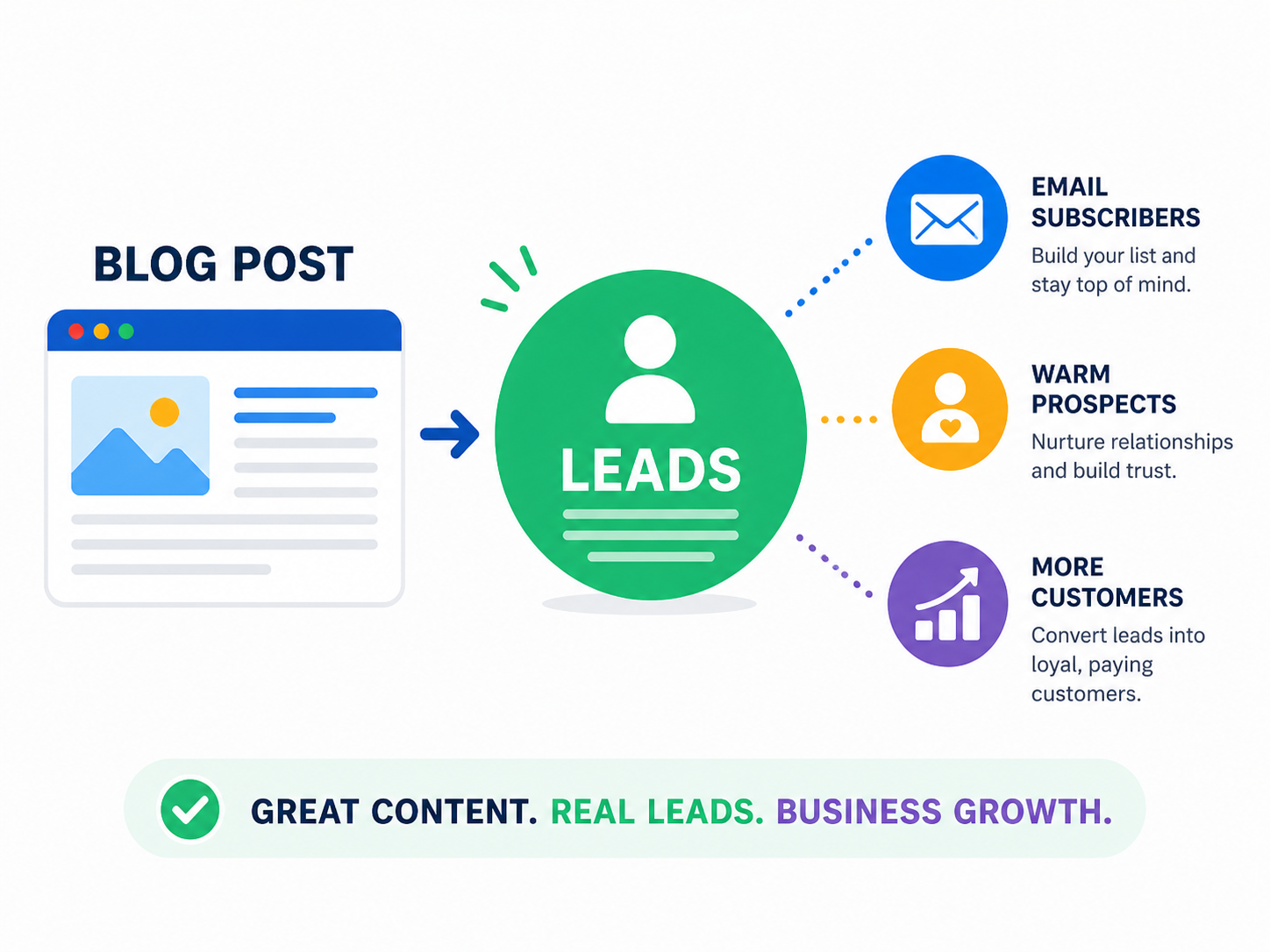
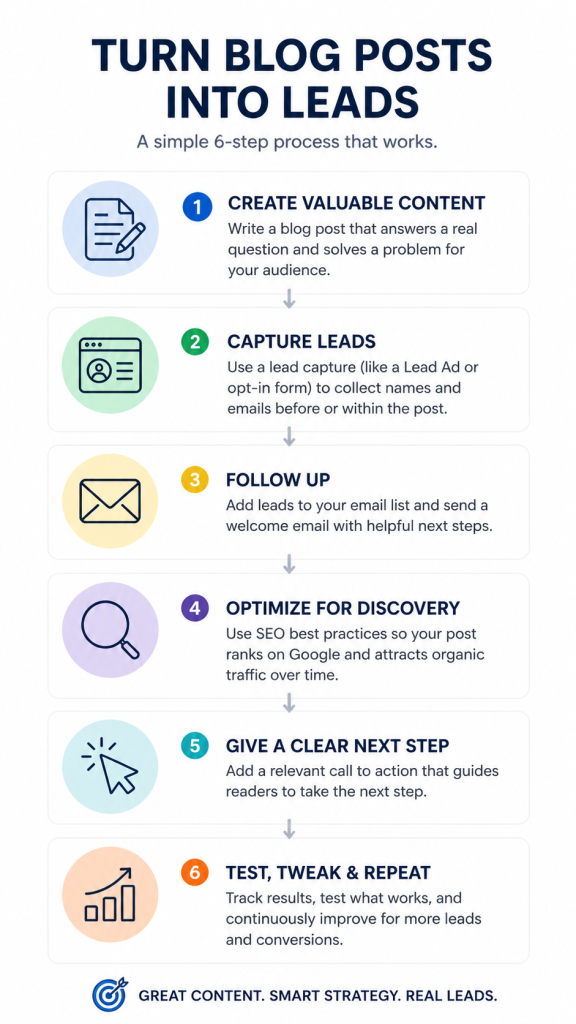
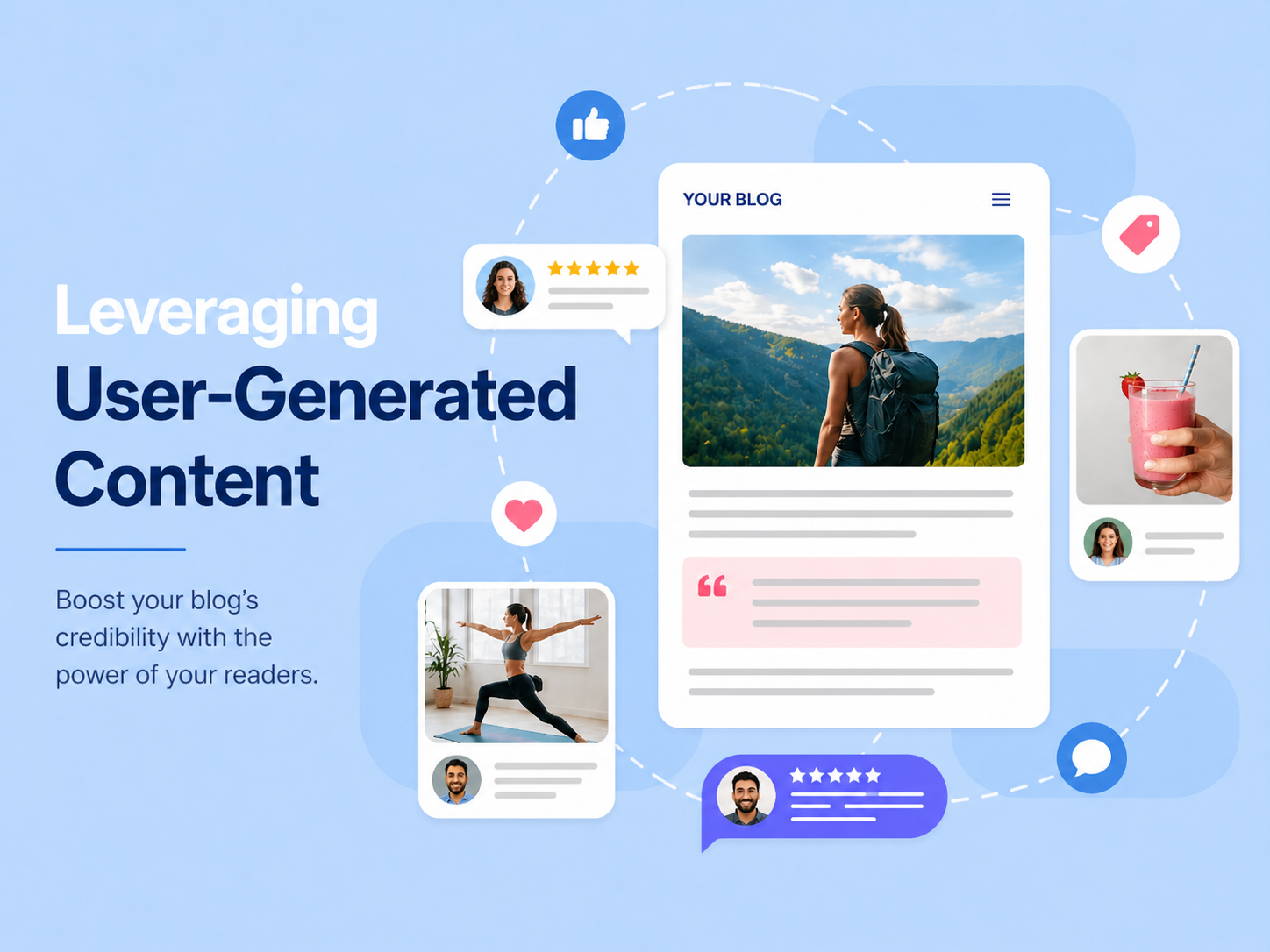
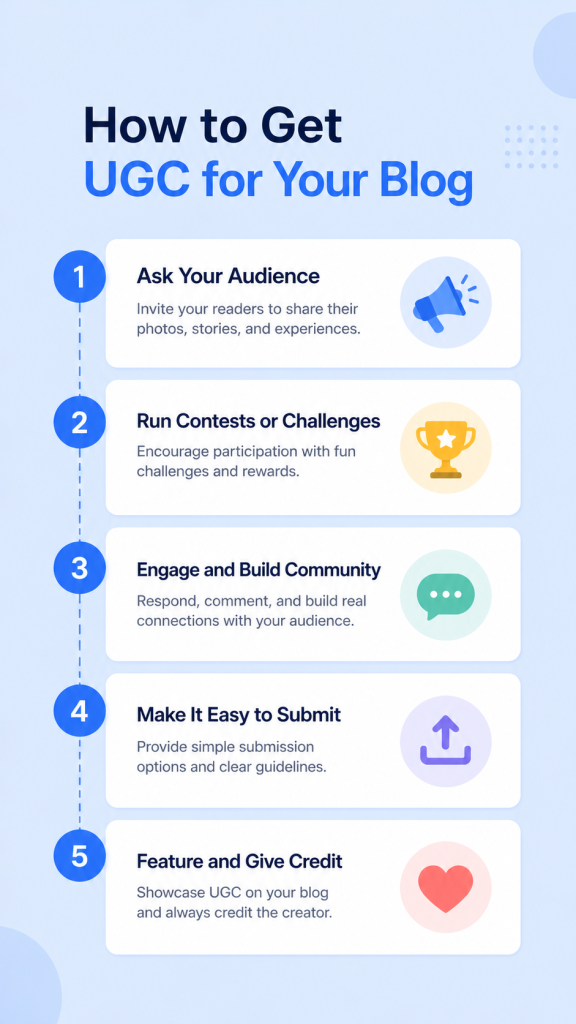
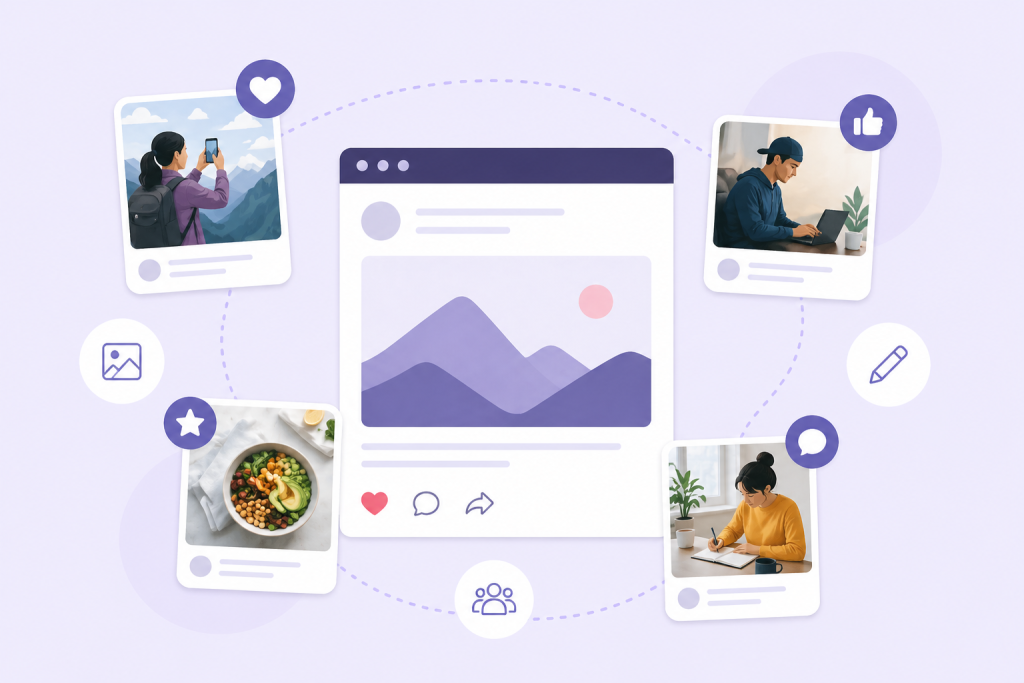
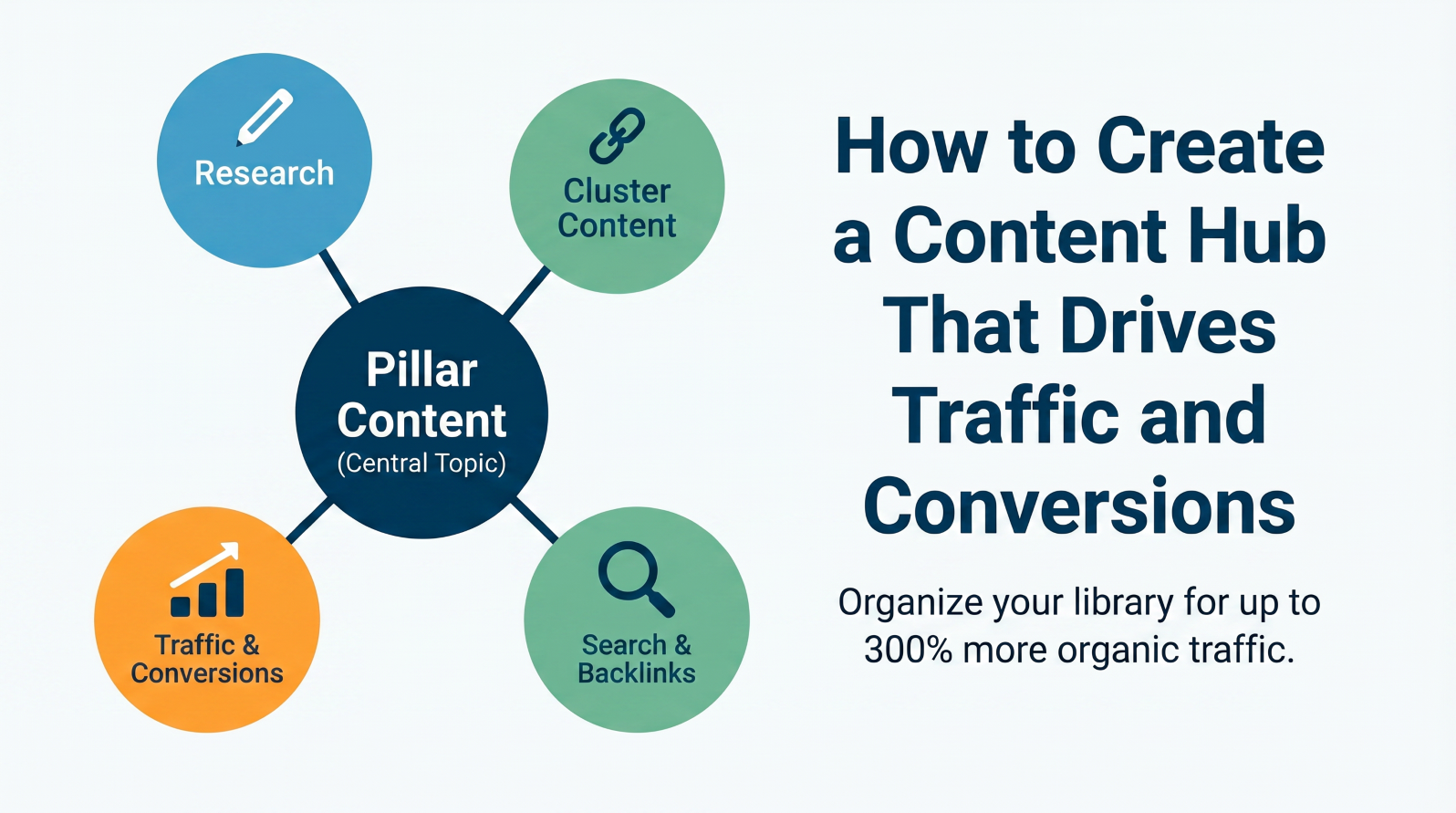
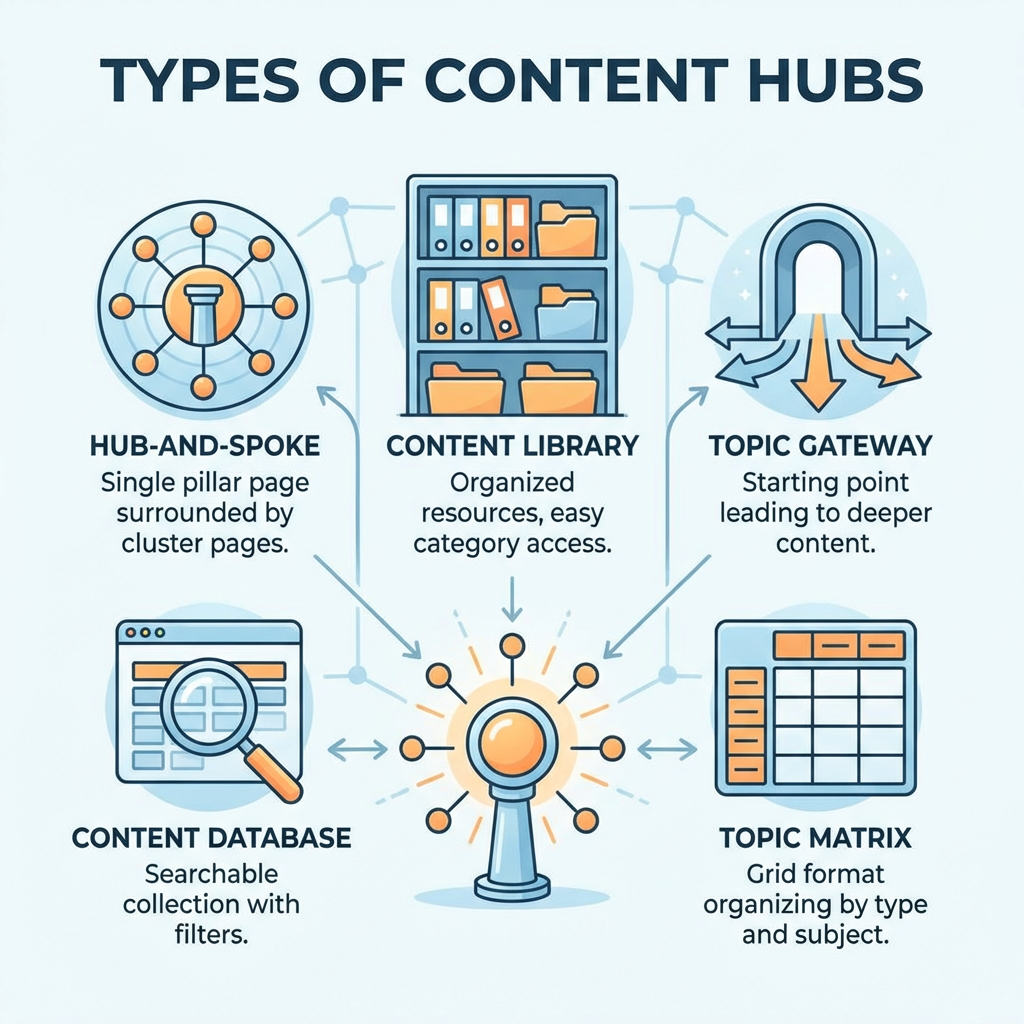
Starting a blog feels exciting. But growing it can feel slow. Many people get stuck right there. Here is a simple truth. Your blog and email list work best together. One supports the other. Together, they help you reach more people. They also help you build steady trust over time. And the best part is this. You do not need a big budget to make it work. Try to imagine your blog as a garden. With every post you write, you plant a new seed. Those seeds are thoughts, advice, and genuine anecdotes that resonate with your readers. Your garden matures. They return continuously. They trust you. And that trust becomes incredibly powerful when you start sending out emails. Each post you publish gives people another way to find you through Google. New and updated content with the right keywords captures the attention of new readers. And new readers can turn into email subscribers. And this is where everything comes together in perfect harmony. Email gets you right into someone’s inbox. That’s a big deal. Social media posts disappear fast. But an email sits there until the person opens it. You get a direct shot at their attention, and that’s rare. Email also has a great return on investment. For every dollar spent, email marketing brings back an average of $36. That’s really hard to beat. Here’s what email lets you do: Your blog creates the content. Your email list delivers it. Simple as that. Say you write a post about saving money on groceries. You send a short email to your list with a teaser and a link. People click. They read. They share. Your traffic goes up. New readers land on your blog. Some of them sign up for your emails. The whole cycle just keeps going. Actually, this loop is one of the best ways to grow without spending money on ads. You just need good content and a simple way to collect emails. Make it simple for blog readers to join your email list. Place a signup form directly on your blog. Then offer a small thank-you gift. A free checklist or a short guide works well. Many people like free resources that save time. A few things that work well: You can start without extra tools. Begin with the basics. Then add more as you go. Here is what matters most: Consistency is key. The size of your audience doesn’t matter. The level of polish in your email doesn’t matter. Just show up. Write your posts. Email your audience. And keep your conversations moving. With time, you will discover what your audience loves. You will improve your writing. Your blog will grow, and so will your email list. Start today. Write a post. Send an email. It’s as simple as that. Content marketing continuously debates long vs short content. Is it worth publishing lengthy, detailed articles? Or are short, quick-read posts better? Both have merit. And both can be correct depending on what you are trying to achieve. The goal dictates the format you choose. That’s where you achieve results. Let’s explore further. Short-form content is fast to read. That is the upside. The downside is that it can be skipped just as fast. Social media posts, blog posts under 1,000 words, email newsletters, and product descriptions all count as short-form. A tweet’s shelf life is about 18 minutes. After that, it is pushed down and forgotten in the feed. The big wins with short-form: Short-form keeps your brand visible every day. People love fast answers. They click, scan, grab what they need, and move on. That’s just how most readers operate today. The downside? Short content is easy to forget. It rarely builds deep trust. And you have to keep putting it out constantly to stay relevant. Long-form content is content that goes deep. These types of content can range from blog posts, white papers, guides, and tutorials to podcasts, which are usually 1,000 words or more. Some content experts even say that, for search rankings, it should ideally be around 3,000 words or more. The big wins with long-form: The data is pretty clear. Top Google results average around 2,000 words or more. Long-form content gets about 56% more than short-form content. And long-form has a 30% higher conversion rate. That’s not a small gap. That’s a real advantage. Long-form wins on conversions. Full stop. It keeps readers on your page 40% longer. It also nudges them to browse 25% more pages on your site. More time on your page builds trust. More trust leads to more sales. Short-form wins on reach and speed. It spreads fast, gets clicks, and keeps your brand fresh in people’s daily scroll. Picture it this way. Long-form is the foundation of your house. Short-form is the fresh coat of paint you keep adding to stay looking good. You need both for the house to stand. Your content should suit the reader’s momentary needs. How much information do they need right now? Take, for instance, someone searching for the query, “how long to cook chicken.” They should be given a quick, concise answer. Short-form content is the way to go. However, if someone is searching for “best project management tools for small teams,” they need detailed information. They want comparisons and assurance that this is a worthy investment. Long-form content is the way to go in this case. Here are some simple rules: The best content plans mix both formats. You can start by writing one solid and in-depth long-form post or guide. Then pull the best facts and quotes from it. Turn those into short social posts, email snippets, or quick videos to spread around. Your long-form content feeds your short-form content. The long piece does the heavy lifting for search rankings. The short posts give you daily reach and visibility. And so both depend on one another. If you are not sure where to begin, you can try building pillar posts first. These are your comprehensive guides to core topics. At least 2,000 words each. They stay useful for years because the info stays fresh and relevant. Write five or ten of these first. They do most of the heavy lifting in Google. Then fill the gaps with shorter content over time. That combo works really well. For visibility, opt for short-form content. For trust and conversion, go for long-form. When used in isolation, short and long forms still leave gaps. So you need to use both short and long forms. Prioritize the reader in your writing. The reader’s needs should dictate your writing format. You hit publish, and then you wait. Does this sound familiar? Most small business owners dedicate time and effort to creating blog content and then just wait for Google to recognize it. However, just waiting is not a good business strategy, and there’s a lot you can do to optimize your blog posts for more than just traffic. You can generate leads. Real leads. Leads that convert into paying customers. This is how you can do it. Not every blog post deserves the spotlight. Pick the one that truly helps your audience. Ask yourself what questions your readers keep asking. What problems do they want solved? That’s your content sweet spot. Your best post should be practical and easy to follow. It should answer a real question your audience is already searching for online. If you don’t have that post yet, write it. Or find a good writer who can. Either way, strong content is the foundation. Everything else builds on top of it. Great content does two big things. It earns trust before anyone spends a cent. And it keeps working for you long after you hit publish. Here’s a trick a lot of people sleep on. Instead of just sharing a link to your blog on social media, try running a Facebook Lead Ad first. Ask for a name and email before people get to read the post. Yes, it’s slightly cheeky. But the signal is clear. When someone gives their details to read your content, they are already leaning in. I would treat that as a warm lead. This setup works a lot like a free ebook download. The big difference is that your blog post can still rank on Google. You get leads from paid ads AND organic search at the same time. Two channels. One piece of content. Facebook Lead Ads also auto-fill from people’s Facebook profiles. The reader barely lifts a finger. Less friction means more people finish the form and hand over their details. So you’ve got names and emails. Now what? Don’t let them sit in a file and gather dust. Here are a few smart ways to follow up: The goal is to stay in touch and stay helpful. A lead that hears from you often is way more likely to buy than one who forgot your name by Wednesday. Your blog post needs to show up when people search for answers. You don’t need to be an SEO expert to pull this off. Just focus on the basics. Here’s what actually helps: Write clearly. Answer real questions. Use plain words. Google rewards that more than most people realize. And so do your readers. Don’t leave people hanging at the end of your post. Every blog post needs a call to action. Something that tells readers exactly what to do next. Your offer should connect to the post’s topic. Wrote about email tips? Offer a free email checklist. Covered social media? Invite them to a free webinar. The next step should feel natural. It should not feel like a random sales pitch dropped out of nowhere. One clear ask per post. That’s the rule. Your initial advertisement and blog are not likely to be your greatest works— and that’s okay. Try launching two different ad copy versions and see which one yields a higher click rate, or use alternative headlines for a blog you’ve written. Review your analytics weekly to clarify trends. The impact of minor adjustments can be significant. An increase in your click rate of even a small percentage can, in many cases, lead to additional dozens of leads each month. Don’t lose your inquisitive mindset. Keep it up. No one is going to say “oh wow!” after reading your blog post or amazing content. However, if you do good content, pair it with a good lead capture, and then follow up, you will start to build some momentum. You will start to build some trust in your audience, and you will stay fresh in their memory, and it won’t be long before they start reaching out to you with questions. If you can do one blog post, one lead capture, and one follow-up email, then you are well on your way. People trust other people. That rule shows up everywhere. When a friend praises a coffee shop, you believe them. Ads do not feel as personal. Your blog follows the same rule. That is why user-generated content matters for your blog’s credibility. User-generated content is content created by your readers or fans about your brand. It can be reviews and comments. It can also be photos or short videos shared on social media and other platforms. Most writers call it UGC. When you include these voices on your blog, trust often builds steadily. Actually, 93% of marketing pros say UGC holds more value than brand content. That number stands out. Readers are not looking for a polished pitch. They want honest words from people who have been in the same spot. And UGC delivers exactly that. When someone shares their real story on your blog, new readers stop and pay attention. They see proof that actual people care. Trust builds fast after that. Way faster than any fancy tagline ever could. Because it is a natural human instinct, we like to have what others have. The marketing rules have changed. Almost all (91%) young adults prefer to trust personal tips and online reviews. And why not? Your blog posts that capture ‘reader stories’ serve as testimonials and case studies. New visitors to your blog will trust you more, become frequent visitors, and consider themselves part of the community. Apple’s the ShotOnAniPhone campaign is a great example. Apple asked its own customers to share photos taken with their iPhones, and the results were stunning. People started sending real photos from their cameras, and this, in turn, led other users to do the same. This went viral and increased sales. Volkswagen did something equally smart on Instagram. They invited drivers to post car photos with the hashtag #MyVWStory, and that small move pulled in over nine million followers. Nine million! All from letting real fans do the talking. You don’t need a big budget to collect UGC for your blog. You just need to ask. Here are some easy ways to get started: But you need to keep it low-pressure and fun. This is because people tend to share way more when it feels easy and natural. You do not have to show only the best feedback. Share honest opinions too. Even a review with a small complaint should be included. People can spot staged praise quickly. Mixed reviews often build more trust than a clean row of five-star ratings. That kind of openness is what gives UGC its strength. Your reader-generated content is a valuable resource. Create a dedicated section for reader stories on your blog. Share reader stories on your social media. Create a photo gallery with user submissions. Your blog will have regular new content, your readers will appreciate you, and occasional visitors will become loyal returning fans. Posting random blog articles and hoping for the best? That almost never works. Many websites publish content, only to watch it disappear. A content hub fixes that. It groups your content into a single main topic. It links the pieces together. It also gives readers and search engines a clear route to follow. When built the right way, a content hub can drive up to 300% more organic traffic. No gimmicks. No quick fixes. Just a strong structure that keeps working. Your website is like a library. Without organization, a library is simply a collection of books. A content hub organizes content to enhance access for both visitors and search engines. Pillar content and cluster content are both essential elements of a content hub. An example of pillar content is a comprehensive webpage that covers a general topic in detail. On the other hand, cluster content can be illustrated by smaller, focused pages that cover specific aspects of the main topic. These cluster pages are linked back to the pillar page. Search engines reward topic authority. When you cover one subject in detail and connect each piece, Google may view your site as a go-to source. That can improve rankings across many related keywords in one move. And it does not stop there. When readers arrive on your pillar page, they follow links to the related pages. They stay longer. They explore more. They come back. That kind of behavior tells search engines your content is worth showing to people. Better rankings follow naturally. Sites with content hubs also attract far more backlinks. Other websites link to yours because it’s the most useful resource on that topic. Those links build your authority over time. It’s a really good cycle to be in. And conversions improve too. When readers move from one page to the next inside your hub, they go deeper into your topic. They trust you more. A reader who visits five of your pages is way more likely to sign up or buy than someone who reads one post and leaves. You don’t have to build one specific kind. Pick the model that fits your business best: Start with hub-and-spoke. It’s the easiest to build and the most effective for most businesses. You need to start with research. Try to find a main topic your audience genuinely cares about. Use Google’s “People Also Ask” section or tools like AnswerThePublic. And then look for questions people are already searching for. Pick a topic with real demand. Next, plan your structure before you write anything. Your pillar page covers the full topic. Each cluster page covers one specific piece of it. You will also need to map out how the internal links will connect everything before you start writing. Then write the pillar page. Make sure you write it long, detailed, and actually helpful. Aim for at least two thousand words. Make sure you cover the topic better than anyone else. Finally, you can link out to your cluster pages from inside it. Write your cluster pages next. Each one should answer one focused question tied to the main topic. Make sure each page stays tight and clear. Link every cluster page back to the pillar, too. Set up your navigation after publishing. Also, use clear headings, simple menus, and easy-to-find links between related content. Add a new cluster page each month. You can also refresh older pages with updated info every few months. Watch out for these: Avoid these, and you’re already ahead of most sites. Building a content hub is an investment of time and energy, and there won’t be significant results in your first week. However, results are only a few months away. After year one, you’ll be able to see the difference between your site and your competitors. The most rewarding piece of this puzzle is that once your hub is built, it continues to work with almost no effort on your end. It requires a bit of upkeep to add and refresh content. This is an investment that pays you back for years to come. The internet is flooded with tips and tricks. It’s also full of how-to posts. Every day, there are millions of new blog posts fighting for your attention. But the truth is, facts fade fast, but the feelings last longer. And so the stories stay with you. They create a bond, and that bond keeps you coming back. Most people follow certain blogs for more than just info. You return because the writer made you feel something inside. This post explains how storytelling turns casual readers into loyal fans who keep coming back. Storytelling in blogging means you frame your message as a story. You do not dump facts on the page. You connect them in order so they appear as a story. This method helps the reader follow along and makes the point feel earned by the end. Not only that, but it is also the type of tone you use. You basically guide the reader. Good blog storytelling can take many forms: personal experiences, brand origin stories, customer success stories, or problem-solution stories that show a clear change from start to finish. People return to writers they feel they “know.” Stories add personality, values, and vulnerability—signals that build credibility over time. When readers trust you, they’re more likely to subscribe, return, and recommend your work. If you want more comments, then you need to tell a story. Advice alone rarely sparks conversation, but relatable experiences do. Stories hook attention from the first paragraph and keep readers invested until the end. Readers also share content that resonates emotionally. They pass along stories that feel real and meaningful. A nutrition blog post about someone’s health transformation can get shared far more than a generic list of healthy foods. Great stories connect because they understand the audience. Who reads your blog? What keeps them up at night? What do they dream about achieving? Ask yourself: “What do my readers fear most?” or “What small win would make their day?” These answers can help craft stories that feel personal to them. A fitness blog may need different stories than a financial advice blog, since emotional needs differ. Your storytelling voice should also match your brand. Are you a helpful friend? The wise mentor? The fellow traveler? You need to pick a consistent voice and stick with it. Readers come to expect and appreciate your unique perspective. This consistency builds recognition with each visit to your blog. There is nothing that beats real stories. Here you can share customer experiences, case studies, or your own relevant experiences. Here, you can include the starting situation, the struggle faced, and also the positive outcome. A marketing blog might share: “Jane’s small bakery was losing money every day. But then she tried her hand at email marketing. Her first campaign bombed. But after adjusting her approach, she saw a 40% increase in return customers.” You post a blog you spent all day writing. Then it slips into Google’s back pages and stays there, and it can be unpleasant. The truth is simple. Good writing is only one part of ranking. Many blogs have strong content but still struggle because they overlook small SEO details that matter to both Google and readers. Let’s clean up the mistakes that could undermine your post. Some bloggers stuff keywords into posts until they sound unnatural. They write for the algorithm first, and the reader comes last. As a result, the content feels dry and lacks a voice. Readers leave fast when the writing feels forced and unnatural. And this hurts your page signals and shares. People don’t usually link to posts that feel like homework. You can start with a simple story, like a friend telling you what went wrong. Then write like you mean it. You can use keywords where they fit and also use them in headings and early lines. The paragraphs should also be short to make the page easier to read. Then read it aloud; if it sounds odd, rewrite that line. Many blogs jump from point to point without a logical path. They lack clear sections, proper headings, and a sense of journey from problem to solution. The reader feels lost and wonders where the post is going. Confused readers normally don’t stick around. They skim, get frustrated, and leave quickly. Search engines notice these poor engagement signals and rank your content lower. No flow = no go in search results. Structure every post with a clear beginning. Start with the problem, keep the middle as the journey, and end with the solution. You can also use descriptive H2s and H3s that read like mini-stories when someone skims. And end each major section with a quick takeaway or action step. Like a small sign that says “Do this next.” Too many blogs offer facts, lists, and generic advice with little substance. They sound like every other article on the topic. They tend to be bland, forgettable, and lack personality or concrete examples. Readers don’t trust or remember content that lacks humanity. They don’t subscribe, they don’t come back, and they certainly don’t link to or share it. You can add real examples from customers or your own experience. Use casual and friendly language. Tell stories about mistakes, successes, or “aha” moments related to your topic. Show readers exactly how their life gets better after applying your advice. Some bloggers try to sound smart by using complicated terms and complicated sentences. They cram too much into each paragraph and forget to break down tricky concepts into bite-sized pieces. This can be a significant mistake. Confused readers bail out fast. And when people quickly hit the back button, it sends Google a clear signal that the content is not worth reading. Remember that bad user experience equals bad rankings. Break complex ideas into simple steps. Use examples like: “Here’s how a food blogger fixed her image issues and doubled her traffic.” Add screenshots or simple diagrams for visual learners. Read your content aloud because if you stumble while reading, your readers will, too. Many posts end with a flat conclusion that offers no direction. The reader finishes the article and has nowhere to go except back to the search results to find a better answer. When readers don’t engage with your site, your metrics quickly decline. You also lose valuable page views and valuable time. Search engines notice when visitors quickly bounce after reading just one page. End each post with a natural next step that fits your content. Ask readers to share their experiences. Link to 2-3 related articles on your site. Offer a free download that expands on your topic. Give readers a reason to stay connected with your blog beyond this one post. You may have noticed that Google provides answers directly on the search page. That’s what experts call “zero-click searches”. That is when people get what they need without even clicking on a website. And that is bad news for all bloggers. But don’t worry! This article will cover everything you need to know about the main search features, how to change your content to appear in them, and also the best ways to track your results in 2026. Zero-click searches happen when you get an answer right on Google’s results page. You see what you need. Then you move on. You don’t need to visit any websites. Google shows these quick answers because they improve the user experience. Faster answers = happier searchers who keep coming to Google for more. But what does this mean for your blog postings? The obvious risk is that your site ranks well but sees fewer clicks because Google displays your content directly in the search results. But all hope is not lost: getting featured in these special spots can significantly increase brand visibility. Your name is the source of truth, which builds trust. And this trust leads to more branded searches later. The key mindset shift for 2026 is to focus on attention and trust, rather than just traffic. When someone sees your brand name in a featured snippet, that’s a win, and that too without a click. But that does not mean that you need to give up on traffic. Let’s look at what these zero-click features actually look like. Featured snippets are the answer boxes that sit above the normal search results. They provide a quick response without extra scrolling. Google may show a short list, a simple meaning, or a few steps from a page. People still click through when they want deeper info. For example, a snippet might show the first three steps of your ten-step guide. And as a result, readers are curious about the rest. There is a high likelihood that people will click your site link. Knowledge panels appear on the right side of search results when Google has a strong understanding of the entity. This includes a business, a person, or a place. They quickly show key details, which can help your brand appear more trustworthy. Google builds these panels from various trusted sources across the web. And so getting your info displayed here will put you in the big leagues. These expandable question boxes allow users to click to view quick answers to related questions. Each answer comes with a link to the source. But the tricky part is that users can keep clicking on new questions that appear, thereby getting a lot of information without ever leaving Google. Smart blogs create content that answers these connected questions. AI Overviews are short summaries that combine information from multiple sources into a single, concise package at the top of search results. They draw on several articles and highlight key points. By 2026, these will get even smarter. For blogs to appear in these summaries, you need very clear answers and strong signals that your content is trustworthy. This means you need to ensure clean formatting, proper headings, and fact-based content that aligns with what other trusted sites say. For location-based searches, Google displays a map with three local businesses listed below. This helps people find nearby options fast. These packs are gold for blogs tied to physical locations, like restaurant review sites or local news blogs. For simple facts such as weather, currency conversions, or calculations, Google shows the answer immediately, so no clicks are needed. These quick answers fully satisfy the search intent, so users rarely seek additional information. Focus on queries that already trigger special search features, such as snippets and People Also Ask boxes. Tools like Semrush can show you which keywords do this. Target “next step” searches with phrases like: Build topic clusters with one main post and several supporting posts that answer related questions. This gives Google a clear map of your site. It can see you cover the full topic, not just a single point. Break your content into bite-sized chunks. Use short paragraphs, with no more than two or three sentences per paragraph. Add clear headings and subheadings that can stand alone as answers. Put your main answer near the top of the page. Don’t make Google hunt for it! You also need to include bullet lists and numbered steps, as they are ideal for featured snippets. Try adding mini Q&A sections inside your posts. Format questions exactly as people would search for them. Then provide short, clear answers immediately. These often get pulled into People Also Ask boxes. Keep your language simple so everyone can understand it. If a fifth-grader wouldn’t get it, then you will need to rewrite it. Schema markup is code that helps search engines better understand your content. Useful schema types for blogs include: Ensure your schema matches the page’s display. Keep it clean, and don’t mark up FAQs if your page doesn’t present clear questions and answers. Google hates that trick, and it can backfire. Your headline decides everything. It’s the front door to your content. And if it looks boring, people walk past. But there’s a big problem. Some writers push clickbait too hard, and as a result, the headline pulls readers in quickly. But then the content can’t back it up. And that is not smart. This destroys trust. In this article, we will examine how to create headlines that attract readers by promising real value rather than empty hype. Clickbait is a headline designed to quickly hook readers. It piques readers’ curiosity. It also obscures the article’s main point. For example: “You Won’t Believe What This Marketer Did Next!” But why do these work on our brains? Our minds, by nature, hate incomplete information. When a headline teases but doesn’t satisfy, our curiosity increases, and as a result, we all end up clicking to close that mental loop. But the big problem is trust. Clickbait can grab attention fast. But if the content doesn’t match the hype, readers feel tricked. Then they stop clicking. Many users prefer headlines that tell them what to expect before clicking. And that is huge! A benefits-driven headline keeps the curiosity. It can also give you a clear reward for reading. It answers the question every reader asks: “Why should I care?” For example: I am sure you have noticed the difference by now. Both lines create curiosity. But at the same time, the second line also gives you a clear takeaway. It backs it up with a result you can point to. Don’t force your first headline to be the winner because that is a fast track to getting stuck. First, you will need to write 10-15 headline options in one go. No editing and no second-guessing. Just ideas on the page. Next, please scan your list. Spot the words that show up again and again. Circle the benefits that feel strong. Keep the phrases that sound simple and clear. You can also try asking yourself: “What is my reader trying to do right now?” Then shape your headline around that exact goal. If they want to save money, mention saving money. If they want to fix a problem, talk about how to fix it. Here’s a very easy testing method: use your email list. Try sending one headline version to 10% of your subscribers and another to the other 10%. After a few hours, check which one has more open. Once you pick out the winner, send it to the remaining 80% of your list. You can start by trying different ways of stating the benefit. Test specific numbers against general terms. You can also compare short and punchy headlines against slightly longer and more descriptive ones. Even a small change can boost click rates by 10-20%. Clickbait headlines often skip important keywords that people actually search for. And that is one bad move for traffic. Start your headline with your main keyword when you can. It makes your topic clear right away. Also, try Google Trends to compare similar terms. But make sure it remains readable. A headline stuffed with keywords but impossible to understand does no one any good. Aim for that sweet spot where SEO meets human interest. The dek is that short line under your main headline that adds detail and interest. It’s your second chance to hook readers. A good dek expands on your headline’s promise and adds a specific detail that makes the benefit feel real. But it still leaves some curiosity unresolved. Example: Headline: “5 Headline Formulas That Drive More Traffic” Dek: “These tested templates doubled our click rates and took just minutes to implement.” That blog post you wrote last year can still work hard for you. Repurposing content means giving an older post a new role. You can update it or reshape it into a shorter post or a simple guide. This article shows you how to give old blog posts a second run. You’ll learn ways to reach more people without writing a brand-new article. The benefit is simple. You save time, and you get more eyes on your work. Not all old posts deserve a makeover. Focus on your winners first! Good candidates for repurposing have: Open your analytics dashboard and find pages with the most visits. You will need to monitor how long people stay on each page. Check which posts earned backlinks from other sites. And that’s a sign of quality. Pick topics that still matter to your audience now. I hope you have your top-performer list ready. Now, let’s move to the next step. Old content often contains outdated information. You will need to fix that first! You can add new statistics that reflect current realities. One thing you can do is to replace old screenshots or examples that no longer apply. You can also check all links to make sure they still work. Also, remove references to tools or methods that are no longer used. You can also conduct a quick search into how people search for your topic today, as terms change over time. Once done, you can add these new keywords naturally throughout your article. Don’t forget to update your meta title and description. People might also be looking for different solutions than they did a year ago. Make sure your intro gets right to the point. Add a clear “quick answer” section if needed. Believe me, this really works! Some people love to read. Others prefer to watch or listen. You need to give them options. People consume content differently. Some scan text quickly. Others learn better through visuals. Many prefer audio that they can enjoy on the go. By changing formats, you reach a wider range of groups. Try these transformations: Just repackage the same valuable information. You don’t need to create brand new ideas! Big blog posts contain tons of nuggets, and this is perfect for social media. Short social posts spread faster online. Plus, posting a series keeps your brand visible for days or weeks, rather than just once. Break your blog into bite-sized content: However, note that different platforms require different approaches. LinkedIn favors slides with longer captions. Instagram works well with carousels and short video clips. Twitter/X, on the other hand, thrives on punchy tips in threads. Pictures speak louder than words, and that is especially true online! Good images make reading easier and more enjoyable. They keep people on your page longer. Additionally, visual content is shared more frequently on social media. Add interesting charts or graphs to explain statistics. You can also create an infographic that summarizes the main points. While you are at it, insert images with helpful captions. Another option is to design a simple flowchart showing your process.10 Proven SEO Techniques to Boost Your Blog’s Organic Traffic

Keyword Research with Search Intent in Mind
Finding the right keywords means getting inside searchers’ heads. Forget just chasing high-volume terms. These days, you need to match your content with what people actually want.
You also need to target long-tail keywords to drive targeted traffic. They are specific phrases that serious readers use. Instead of “cake recipes,” try ranking for “easy chocolate cake recipes for beginners.”
Google Keyword Planner, SEMrush, and Ahrefs can also help spot these gems. The trick is to figure out whether someone wants to buy something, learn something, or find a specific site when they type those words. For example, there is a lot of competition for keywords in the online dating space. However, you will find very different user intent for keywords and searches like long-term dating app vs meet for sex tonight, with the latter being more geared towards an action or service and the former more towards a product. Considering searchers’ intent is vital for SEO keyword research.
Optimize On-Page Elements for Better Rankings
Your titles and descriptions are like tiny ads in search results. You need to keep titles under 60 characters with your main keyword near the start. Meta descriptions should also stay under 150 characters.
Also, use proper heading tags (H1, H2, H3) with related keywords. Your main heading should include your primary keyword, but don’t make it sound weird. Also, sprinkle keywords naturally through your text. Google likes content that sounds human, not keyword-inflated.
Improve Page Speed and Core Web Vitals
Slow websites drive everyone crazy. And Google knows it, and so faster pages rank better. Just a one-second delay can drop conversions by 7%.
To improve your page speed:
Test your speed with Google PageSpeed Insights or GTmetrix. Pay attention to Core Web Vitals. They directly affect where Google puts you in search results.
High-Quality Content
Search engines are getting better at identifying robot-generated content. To rank higher, you need to create content that shows you actually know your topic and also connect with real people reading it. Sure, AI writing tools can help, but you need to edit that output till it sounds like YOU wrote it.
Throw in personal stories, examples from your experience, and insights nobody else has. Google uses this E-E-A-T thing (Expertise, Experience, Authoritativeness, Trustworthiness) to judge if your content’s any good. Give practical tips grounded in real knowledge so both humans and search engines can easily understand and apply them.
Leverage Internal Linking Strategically
Internal links help readers and search engines better explore your site. They spread ranking juice across pages and keep people on your site longer. And this boosts SEO.
Also, don’t use “click here” as link text! Instead, link phrases like “keyword research guide” to your article about finding keywords. Connect related posts to show Google how your content pieces fit together. It creates this cool web of info that search engines totally love.
Link to your main guides that cover topics inside and out. But you don’t have to do lots of interlinking. About 4-6 internal links per 1,000 words will work just as great.
Create Link-Worthy Content to Attract Backlinks
Backlinks are still SEO gold. When other sites link to yours, Google sees it as a thumbs-up. Getting these links organically means creating content that people want to reference.
Try this skyscraper technique. Here, you need to find popular topics in your niche, create high-quality content, and then email sites to ask them to link to the original. Guest posting on quality sites brings eyeballs and links your way.
Another organic SEO technique that works great is to find broken links on other sites. Once done, you can offer your content as the fix.
Mobile-Friendliness and Responsive Design
Google now uses mobile-first indexing. How your site looks on phones matters more than on desktops. And so your site should have a responsive design that automatically adjusts to fit different screen sizes.
You can also run your site through Google’s Mobile-Friendly Test to identify potential issues. You can make buttons big enough to tap, text readable without squinting, and also menus that actually work on small screens. You can also space out links for people with bigger fingers. These little tweaks make a huge difference in how search engines see your site.
Use Google Search Console to Track Progress
Can’t fix what you don’t measure. Google Search Console gives you free dirt on how your site performs in search.
See which keywords bring visitors, which pages rank best, and where you got opportunities. If you find pages with tons of impressions but few clicks, then you need better titles or descriptions. Fix technical issues like crawl errors or mobile problems that hurt rankings. This data shows you where to focus for the biggest results.
Promote Content via Social Media for SEO Benefits
Social signals don’t directly boost rankings, but they create chances for more links and traffic. When people share your content, it gets seen by potential linkers.
Add social sharing buttons to make it easy to spread your content. Create pretty images for Pinterest or Instagram. Fill out your social profiles with links back to your website. Traffic from social media can also boost engagement signals that DO influence rankings.
Stay Updated with Google’s Algorithm Changes
Google updates its algorithm hundreds of times a year. Most changes are tiny, but big updates can flip rankings overnight.
Follow Search Engine Journal, Moz, and Search Engine Land for algorithm news. Join SEO communities where people talk about what’s working now. When a major update hits, review your traffic patterns to see if you need to make any changes. Staying in the loop lets you adapt before your competition figures it out. The Beginner’s Guide to Email Marketing Through Your Blog

Your Blog Builds the Foundation
What Does Email Actually Do?
How Blogs and Email Work Together
Getting People to Sign Up
Tips to Get Started Today
Keep It Going
Long-Form vs. Short-Form Content: What Converts Best?

What Is Short-Form Content?
What Is Long-Form Content?
So Which One Converts Better?
When Should You Use Each?
Use Both Together
Start With Pillar Posts
Final Thought
How to Craft Blog Posts That Drive Leads
Start With Your Best Post
Capture Leads Before You Give Away the Good Stuff
What to Do With the Leads You Collect
Help Google Find Your Post
Give Readers a Clear Next Step
Test, Tweak, and Repeat
Bringing It All Together
Leveraging User-Generated Content to Boost Your Blog’s Credibility
Why Real Voices Build Trust Faster
The Power of Social Proof
Real Campaigns That Got It Right

How to Get UGC for Your Blog
Be Honest About What You Share
Use What Your Readers Create
How to Create a Content Hub That Drives Traffic and Conversions
What Is a Content Hub?
Why Content Hubs Drive More Traffic and Conversions
Types of Content Hubs
How to Build Your Content Hub
Mistakes to Avoid
Play the Long Game
The Role of Storytelling in Building a Loyal Blog Audience
What storytelling means in blogging
How storytelling builds loyalty
It humanizes your blog and brand.
It increases engagement and sharing
How to add storytelling to your blog posts
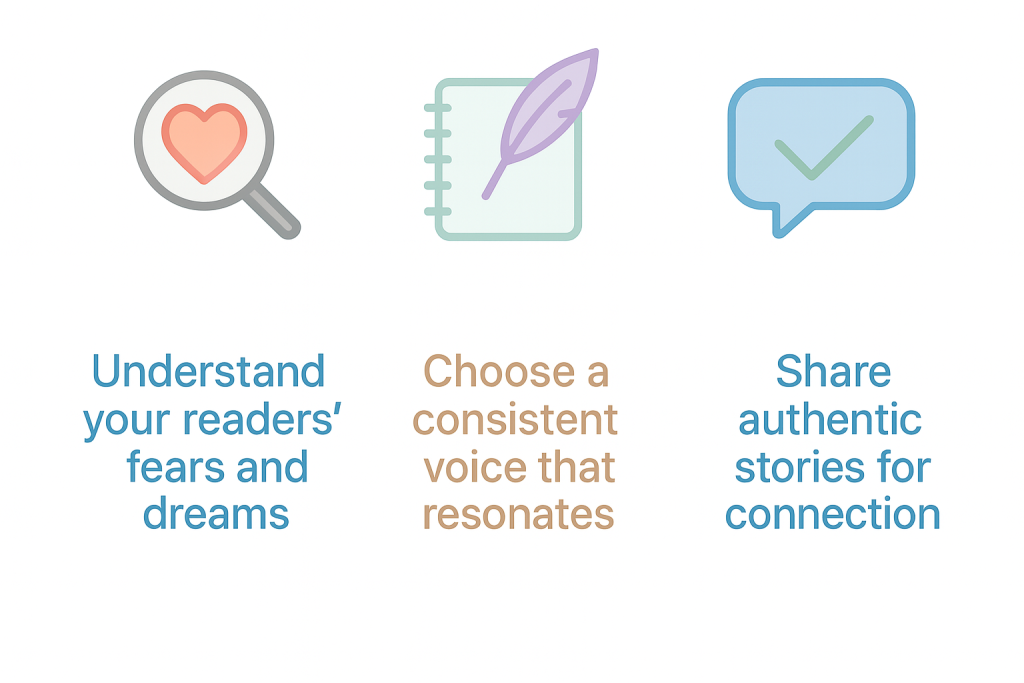
Step 1: Know your audience before you write
Step 2: Define your brand voice and message
Step 3: Use real-life examples
5 Common Blogging Mistakes That Hurt Your SEO (And How to Avoid Them)
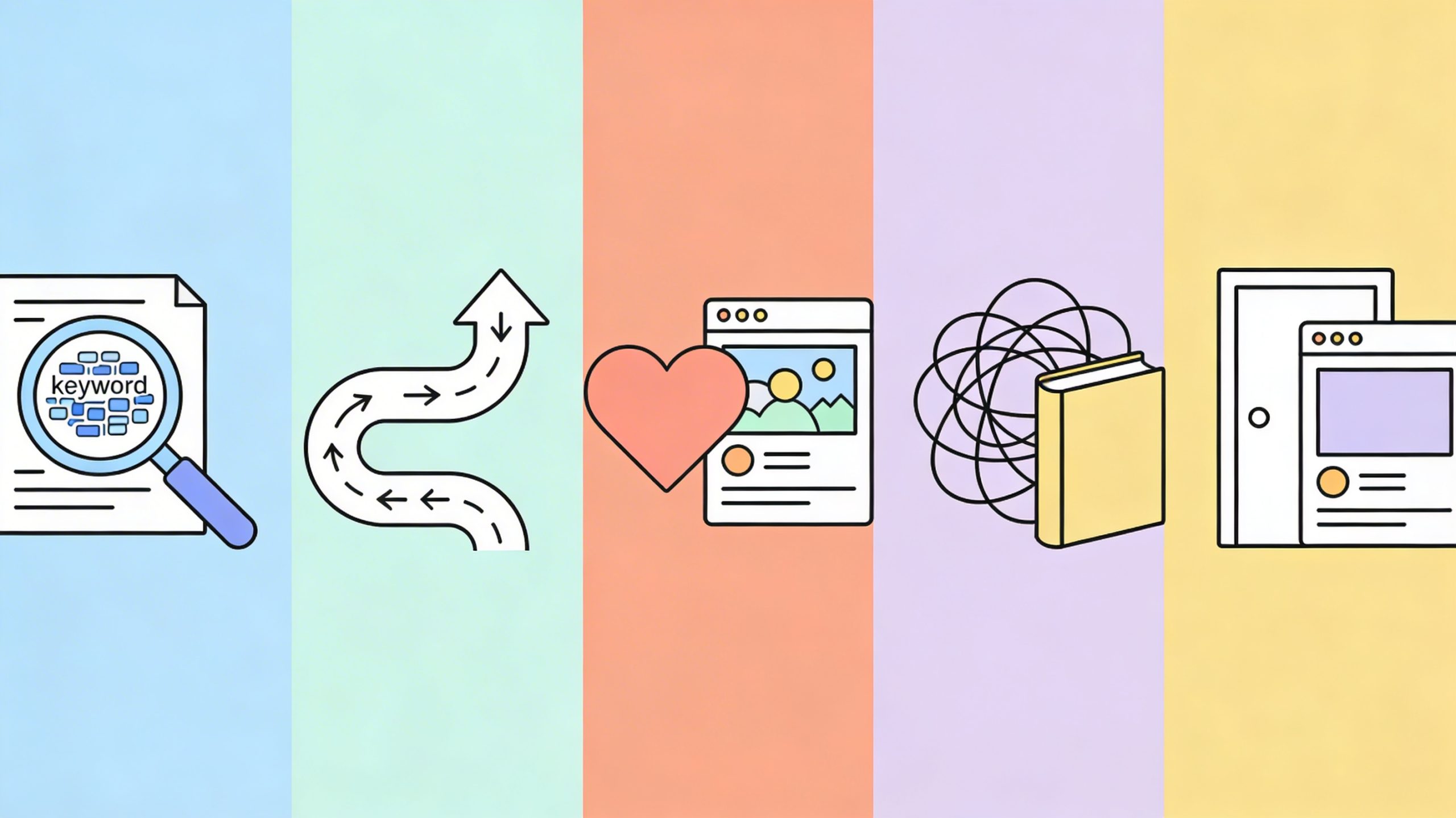
1. Writing for search engines only and not humans
The mistake:
Why it hurts SEO:
How to avoid it:
2) No clear story flow or structure
The mistake:
Why it hurts SEO:
How to avoid it:
3) Forgetting to build an emotional connection
The mistake:
Why it hurts SEO:
How to avoid it:
4) Explaining complex topics in a confusing way
The mistake:
Why it hurts SEO:
How to avoid it:
5) No strong CTA or next step
The mistake:
Why it hurts SEO:
How to avoid it:
How to Optimize Your Blog for Zero-Click Searches in 2026

What zero-click searches are
Why zero-click searches matter for blogs in 2026
The main zero-click SERP features you need to know

A) Featured snippets
B) Knowledge panels
C) People Also Ask boxes
D) AI Overviews
E) Local packs and Google Business Profiles
F) Instant answers
Quick 2026 optimization playbook

Step 1: Pick smarter keywords and topics
Step 2: Structure content to win on the SERP
Step 3: Add schema markup that matches the page
How to Write Blog Headlines That Drive Clicks Without Clickbait

What clickbait is and why it works on the brain
The clickbait alternative: benefits-driven headlines
Step-by-step: How to brainstorm headlines that land
Test your headlines the smart way with simple A/B testing
SEO headline upgrades
Don’t skip the “dek”
How to Repurpose Old Blog Content for New Audiences

Start With High-Performing Content
What “high-performing” actually looks like
How to pick the best posts fast
Refresh the Content With New Info and Fresh Keywords
Update what’s outdated
Add keywords without stuffing
Match the search intent today
Change the Format to Reach Different Audiences

Why format changes work
Best format swaps for old blog posts
Turn One Long Blog Into a Social Media Series
Why this works
Easy social series templates
Add Visual Elements to Increase Engagement
What visuals improve
Visual ideas that fit most posts
Ready to Elevate Your Content?
Partner with a content team that understands your goals, your audience, and your voice.
Let’s create content that educates, inspires, and sells.